How to install your lenses

For optimal comfort, we recommend using the Pimax Crystal Super prescription lenses with the thicker foam pad in your Pimax package.

How to install Pimax Crystal Super Prescription Lenses

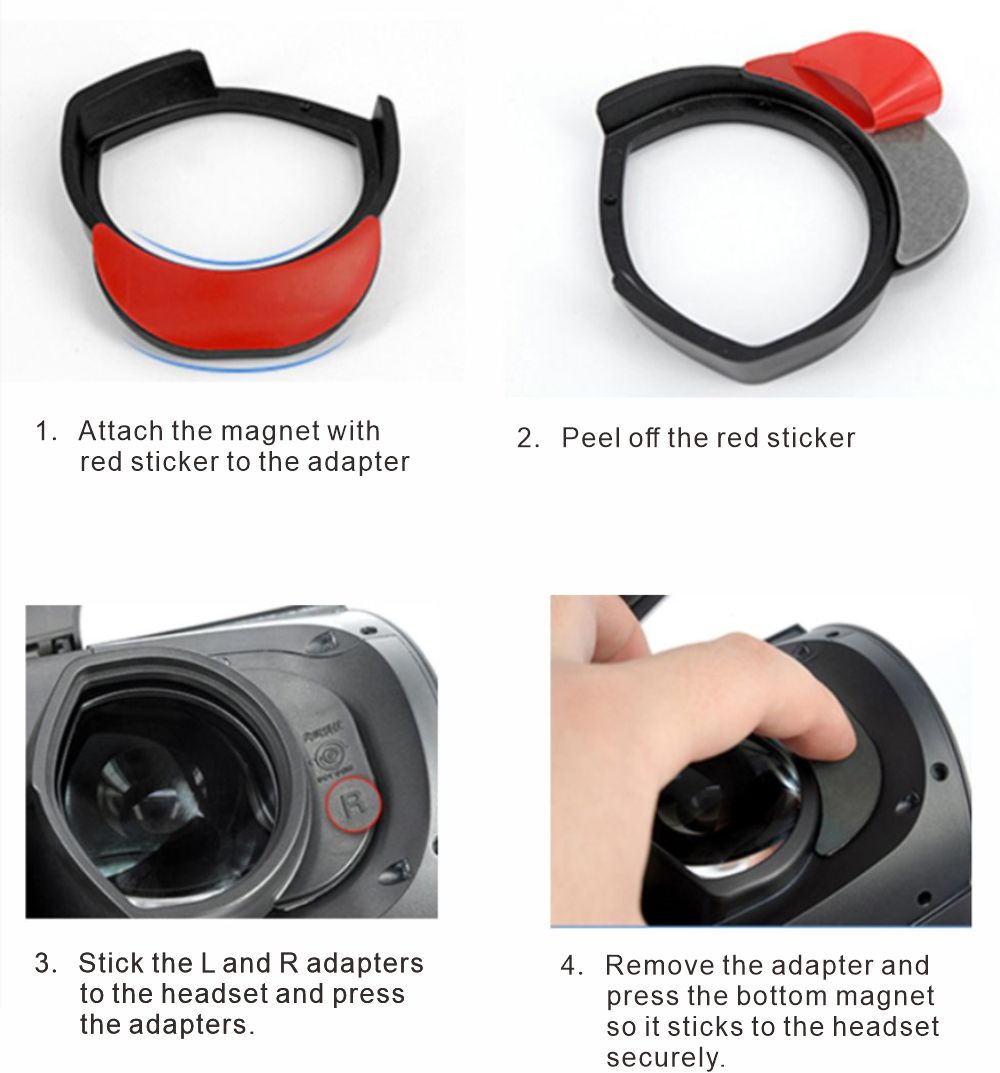
There are 2 installation videos for PSVR 2. If you have troubles installing them, please watch the second video directly. It has more details about installation. 
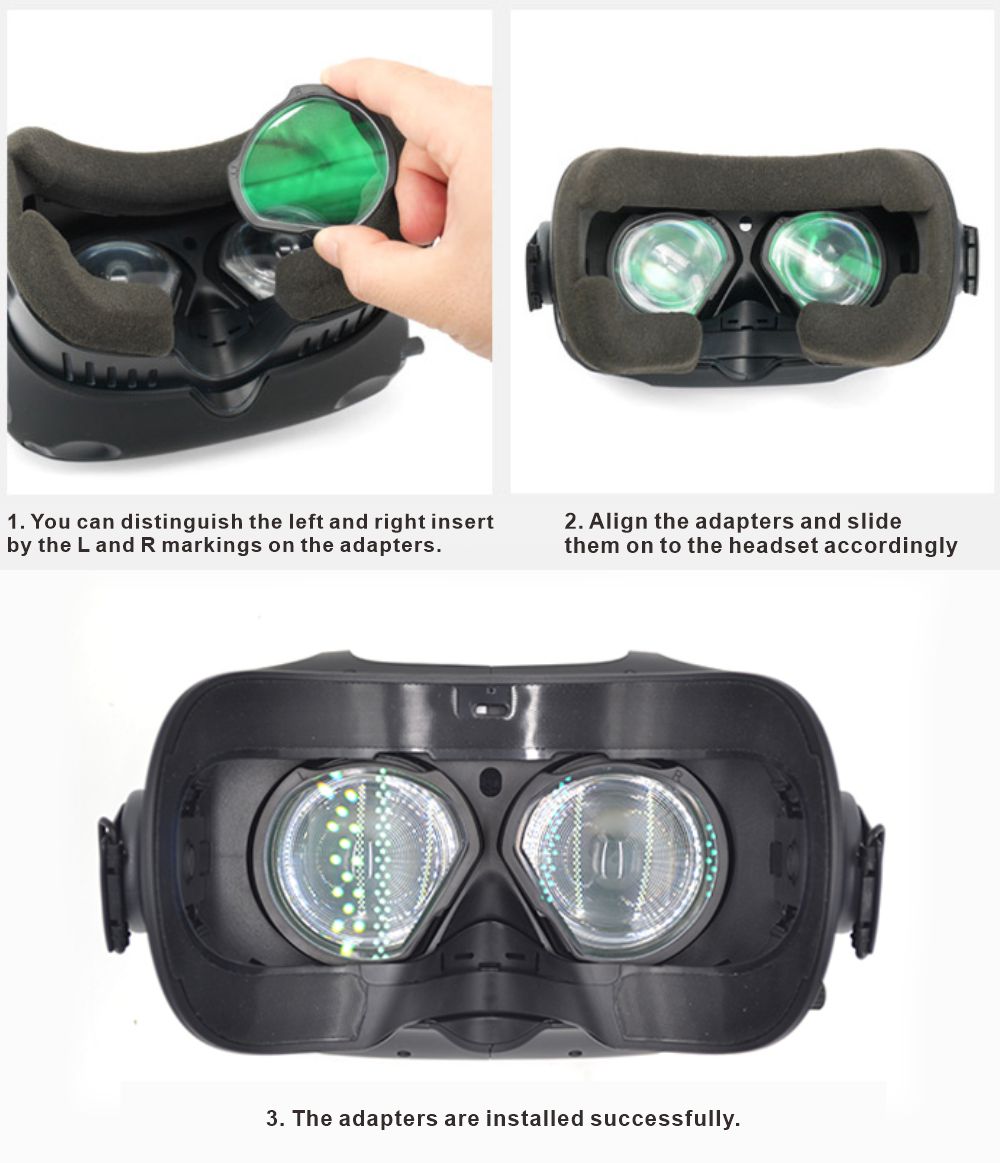
Important Preparation: Before installing any prescription lenses, please ensure you set the Diopter adjustment on your goggles to 0.

For Orders Placed After August 1, 2026 (New Integrated Design)

Our latest update now includes custom-made integrated frames. Installation is now much simpler:

  • Simply remove the original DJI protective frames/spacers from your goggles.
  • Snap our integrated prescription lens frames directly into the goggles.

For Orders Placed Before August 1, 2026 (Lens Only)

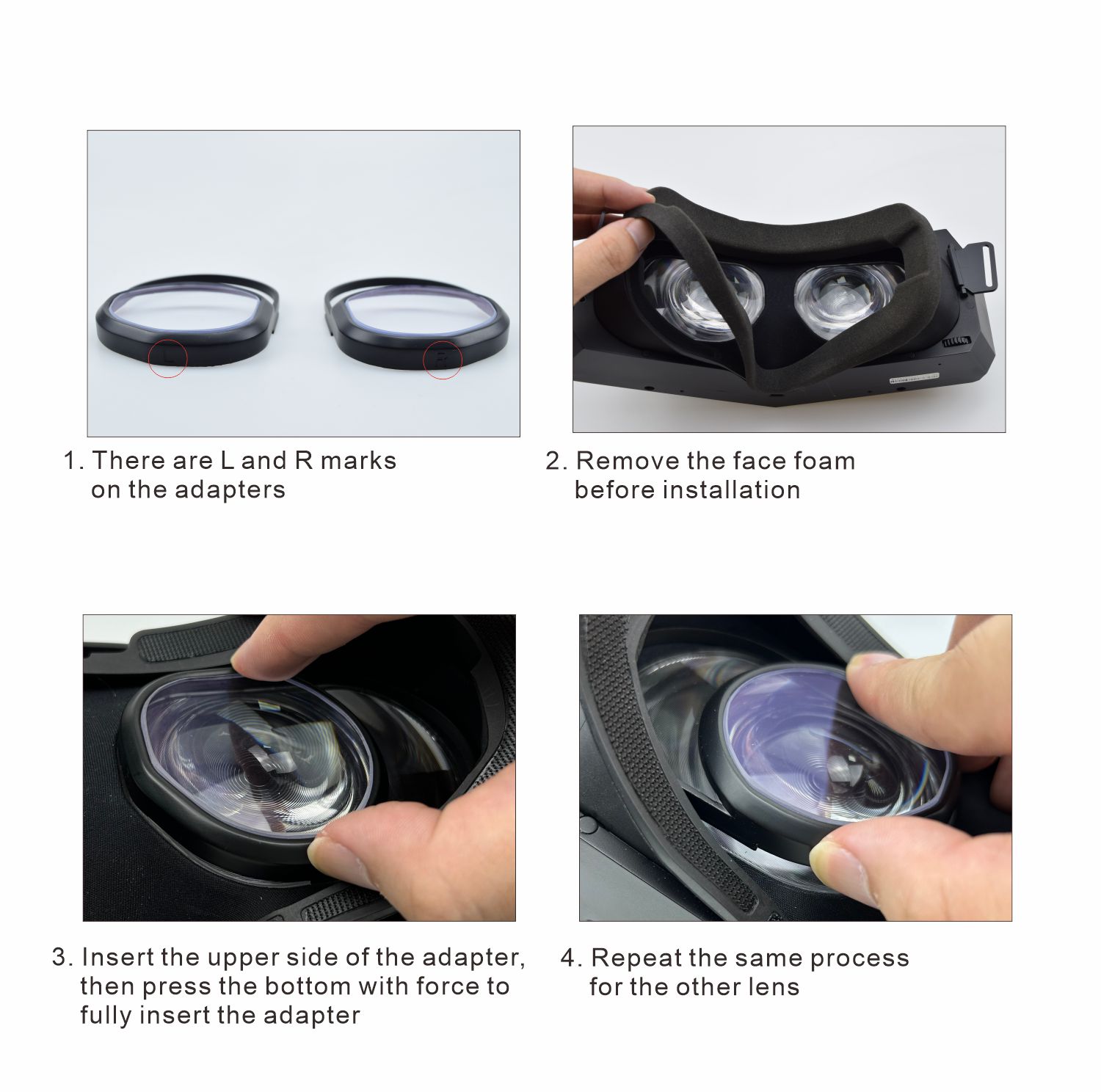
If your order contains lenses without pre-installed frames, please follow these steps:

  • Important: Do not use the frames that come pre-installed on the goggles, as they are not designed for prescription lenses. Your DJI package includes a separate pair of frames specifically designed for prescription lens installation.
  • The side of the lens with the sticker should face the goggles.
  • Official Video Tutorial: You can see what the correct frames look like at 00:13 in this video. 

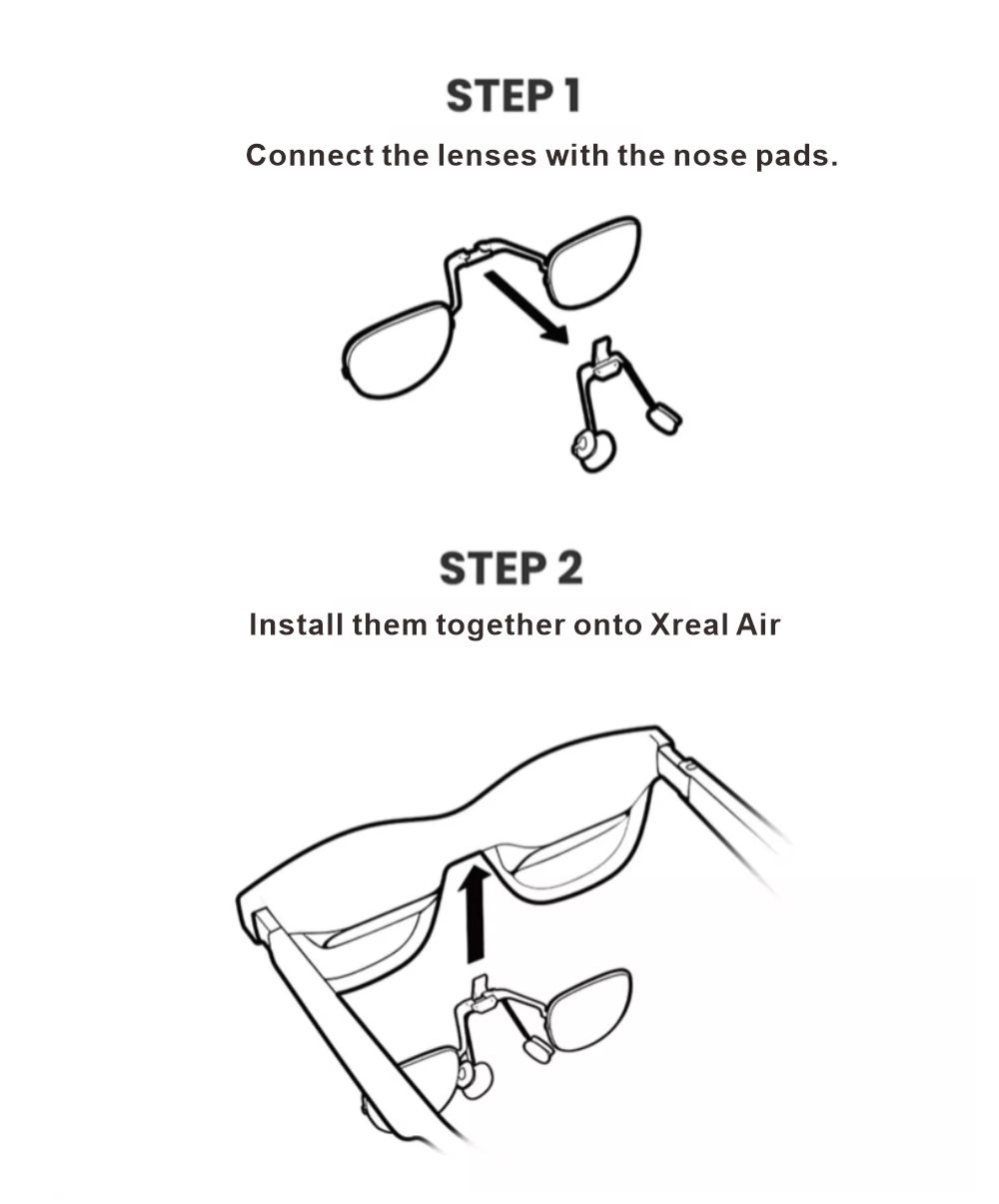
Note for XREAL One Pro / ROG R1 lenses: When cleaning the lenses, be careful of the silicone nubs on both sides, as wiping may dislodge them. If they are lost, please replace them with the silicone nubs from the extra frame of the One Pro packaging.

Please note that the lenses for the XREAL ONE and XREAL ONE Pro are different, but the installation process is the same. We use the XREAL ONE as an example below, which applies equally to the installation of XREAL ONE Pro lenses.

Step 1: Remove the two rubber pieces indicated by the red arrows. You can use a SIM card ejector pin or a small screwdriver to carefully pry them out.

Step 2: Insert the lenses into the two holes.

How to clean your VR prescription lenses

The HONSVR prescription lenses are crucial to getting a crisp and focused view of the VR World. Once the steps are mastered, a lens cleaning routine need not be complicated. If cleaning your lenses takes longer than twenty seconds, you are likely overcomplicating the process.

Supplies

1. Microfiber cloth: The best and safest way to avoid scratching or smudging your lenses while cleaning them.

2. Cleaning solution: Spray formulated for eyeglasses that specifies it is safe for polycarbonate lenses and lens coatings is optimal, however lotion-free dish soap can also be used.


Directions

1. Always practice good hand hygiene to avoid spreading germs from your hands to your contact lenses.

2. Run warm water over your lenses to get rid of dust or other things that might scratch the lenses. If you live somewhere with hard water, you should avoid using tap water in favor of distilled water.

3. Wipe your lenses down with microfiber cloth.

4.Spray both sides of your lenses with cleaning solution. If using dish soap, place a single drop on each side of the lens and massage it gently over the surface. Rinse if using soap.

5. Shake off any remaining water on your lenses and then dry them. Use gas duster (canned air) to dry your lenses instead of a paper towel to prevent streaks and watermarks.

Shopping Cart