
The HONSVR guidebook
A perfect fit.
A clearer world.
Get your lenses ready for your next adventure.
Find installation guides for your device, all in one place.

Find your installation guide
A little guidance. A perfect fit. Select your device to begin.
MetaMeta Quest 3
1 video guide
Meta Quest 3 — installation

MetaMeta Quest 2 / Quest 3S
1 video guide
Meta Quest 2 / Quest 3S — installation

PlayStationPSVR 2
1 video guide
PSVR 2 — installation overview

XREALXREAL One / One Pro / ROG R1
Photo guide
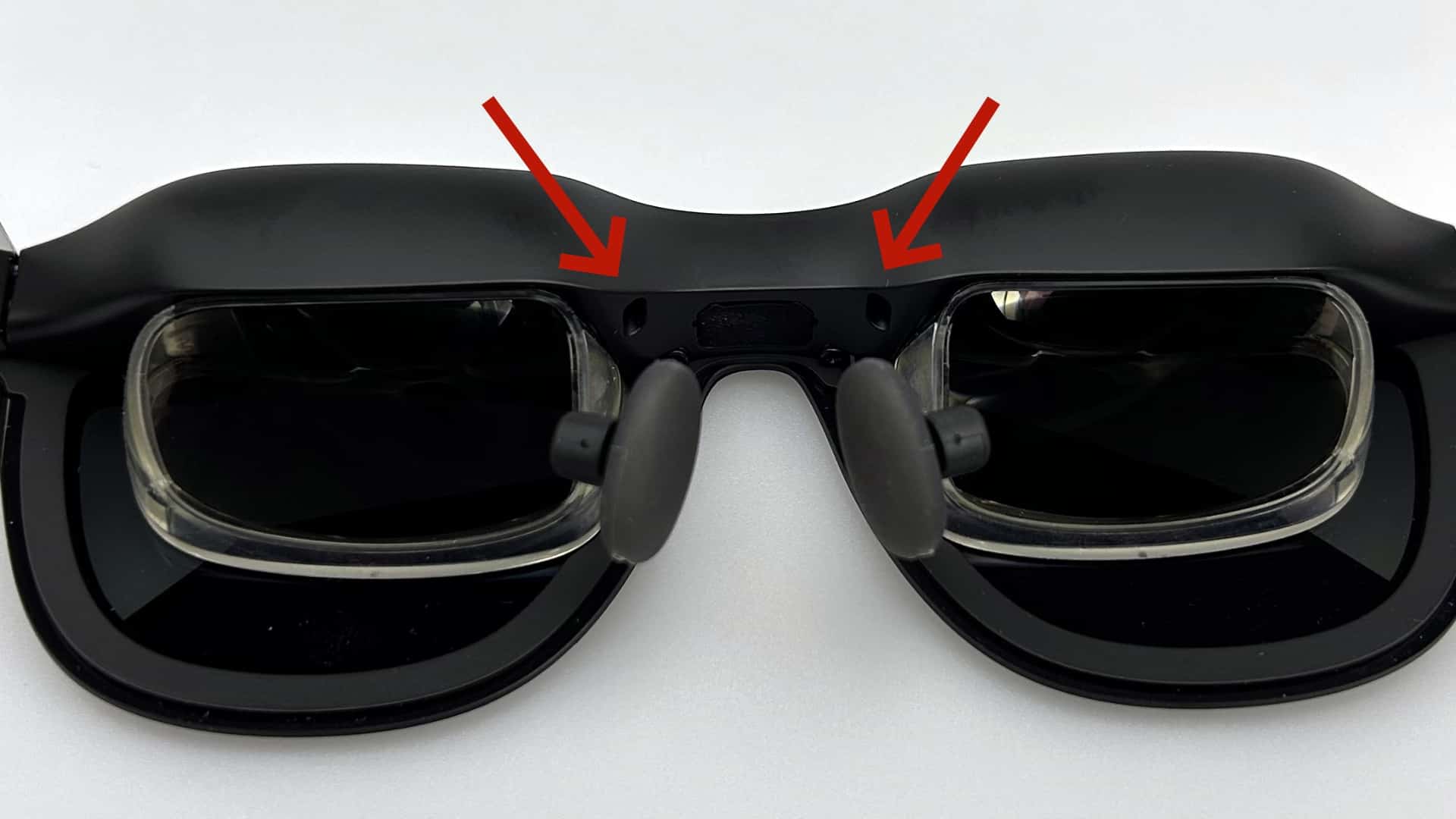
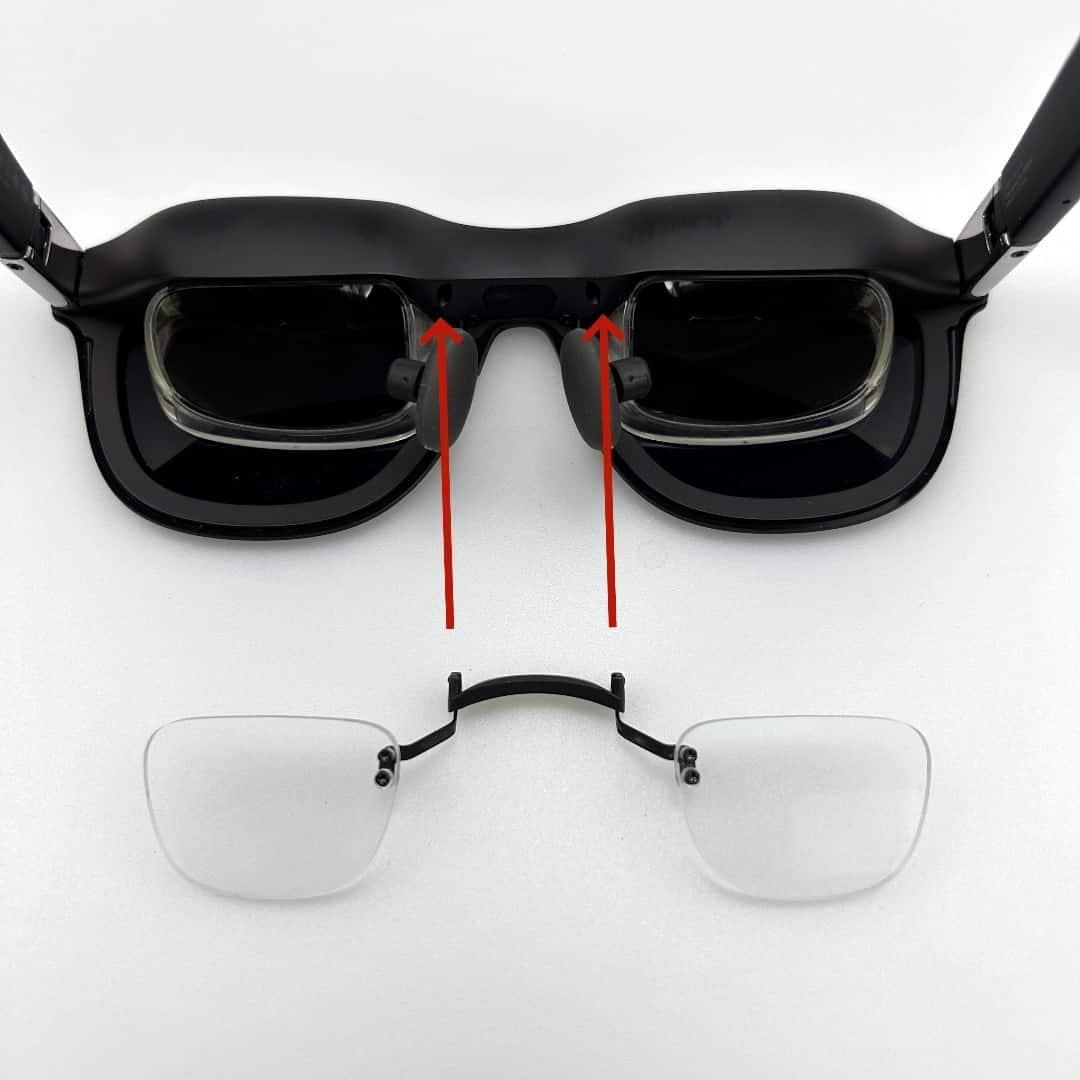
XREAL One and One Pro use different lenses, but share the same installation process. The images below use XREAL One as the example.
Install your lenses
- Carefully remove the two rubber pieces indicated by the red arrows. Use a SIM card ejector pin or a small screwdriver to gently pry them out.
- Insert the lenses into the two holes.
PimaxPimax Crystal Super
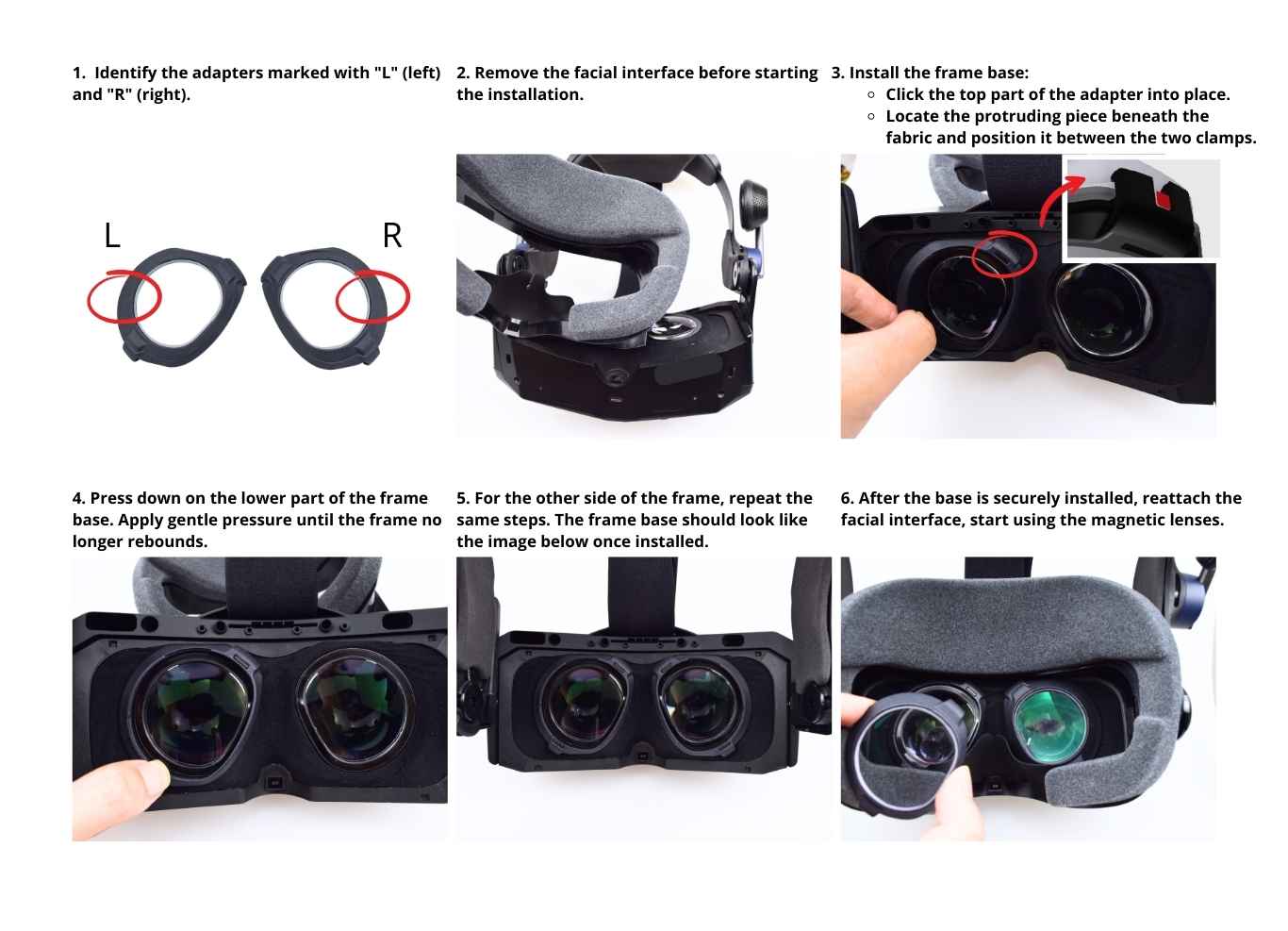
Photo guide
DJIDJI Goggles 3
Written guide
Integrated frames
Orders placed after August 1, 2026
- Remove the original DJI protective frames / spacers from your goggles.
- Snap the HONSVR integrated prescription lens frames directly into the goggles.
ValveValve Index
1 video guide
Valve Index — installation

HPHP Reverb G2
1 video guide
HP Reverb G2 — installation

PicoPico 4
1 video guide
Pico 4 — installation

PimaxPimax Crystal
1 video guide
Pimax Crystal — installation

PimaxPimax 5K / 8K / 8KX
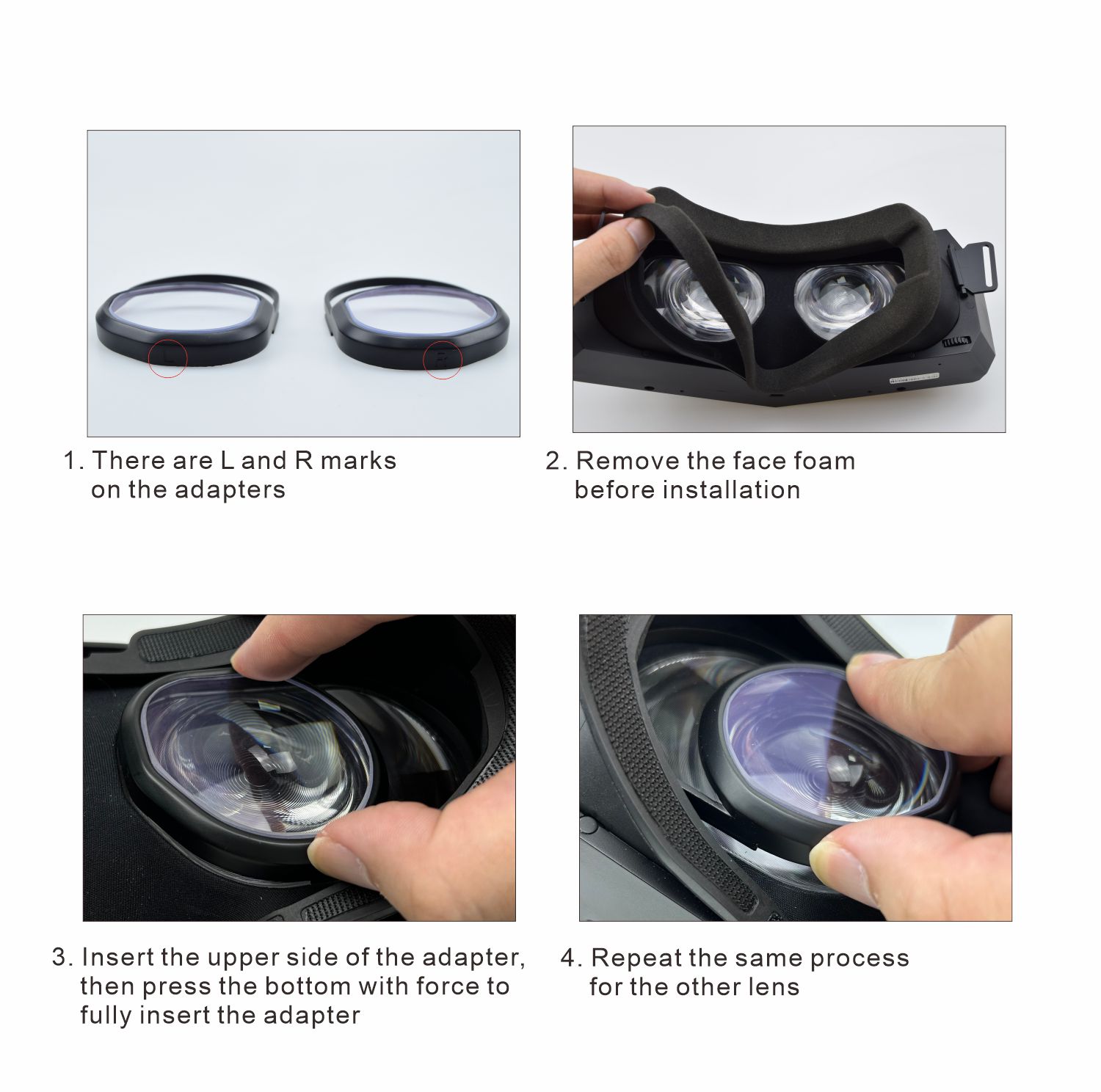
Photo guide
PlayStationPSVR
Photo guide
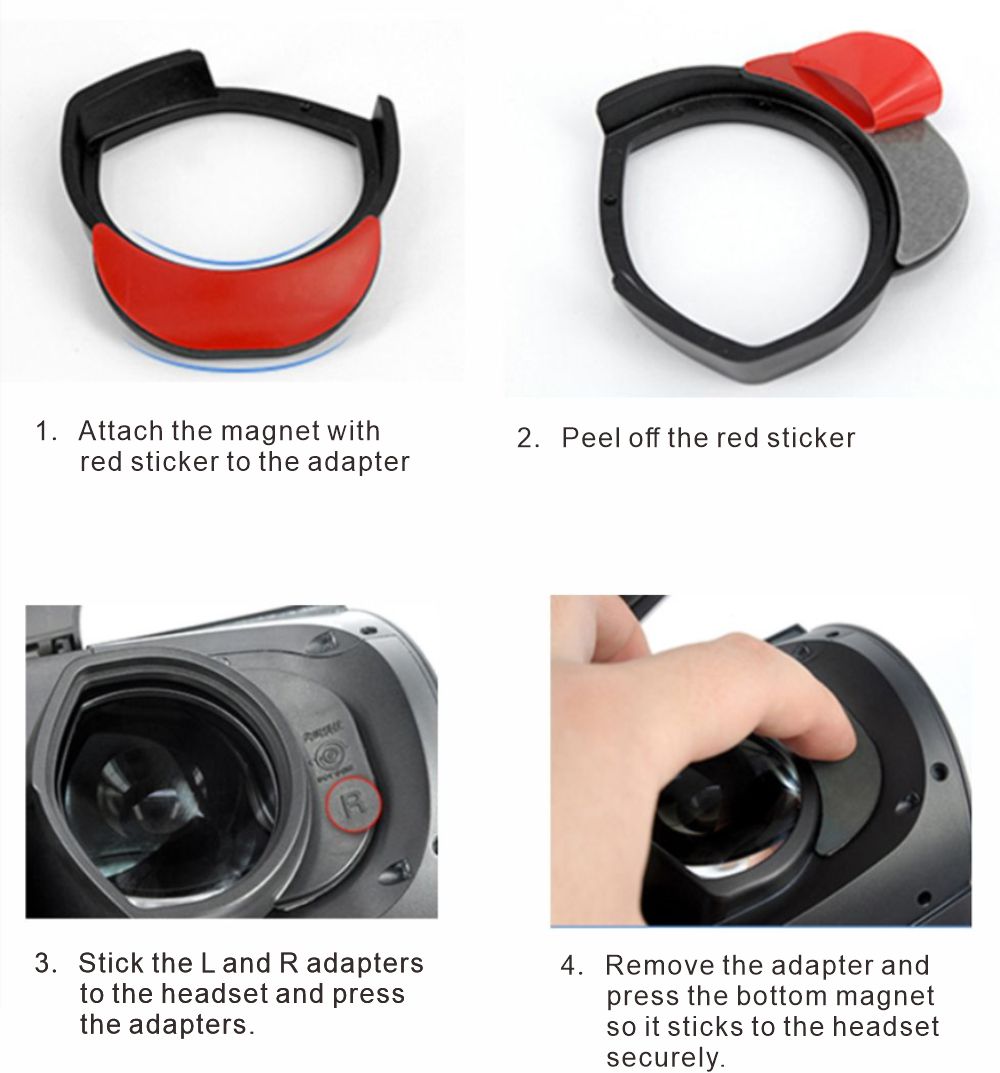
HTCHTC VIVE
Photo guide
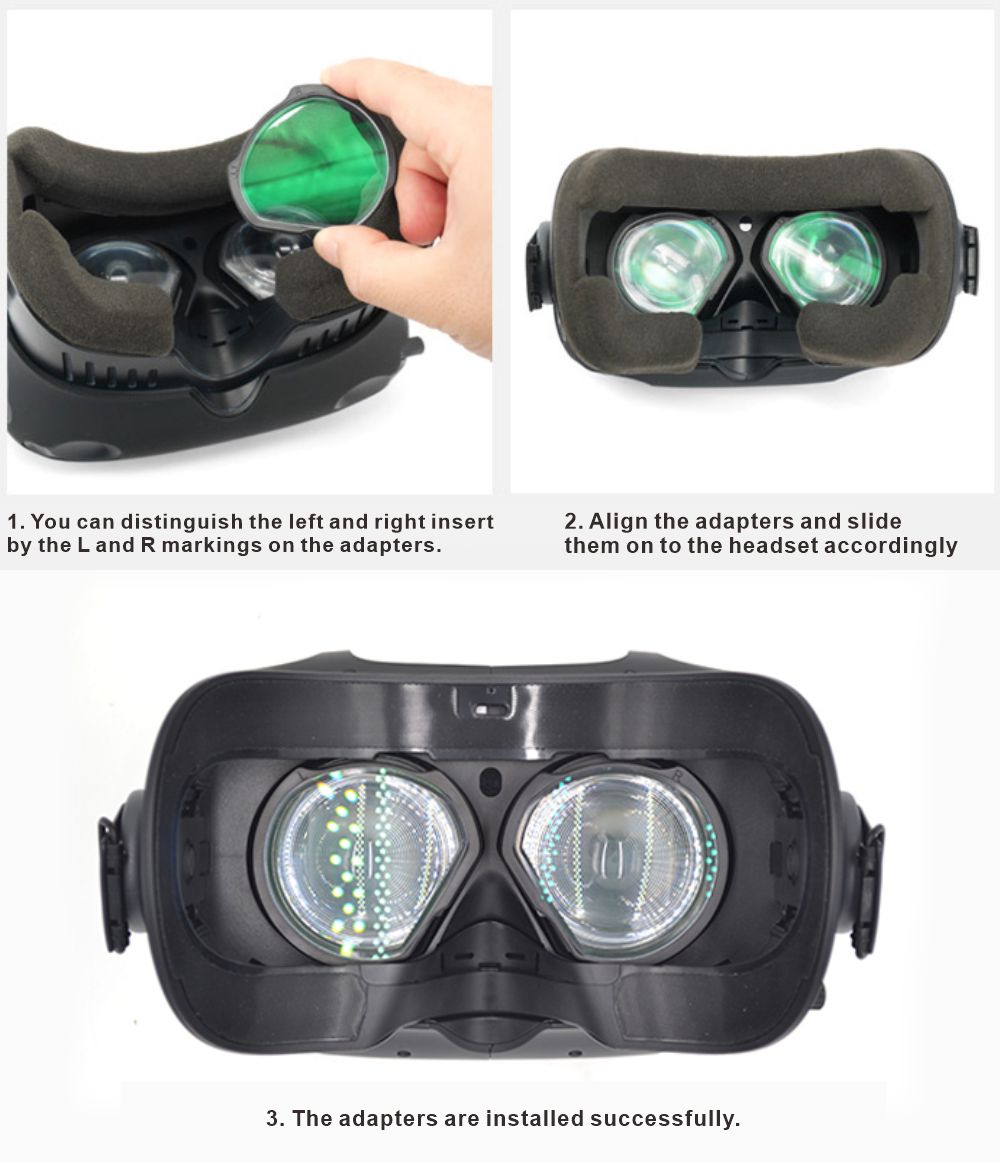
DJIDJI Goggles 2
1 video guide
DJI Goggles 2 — installation

DJIDJI FPV
1 video guide
DJI FPV — installation

XREALXREAL Air
1 video guide
XREAL Air — installation

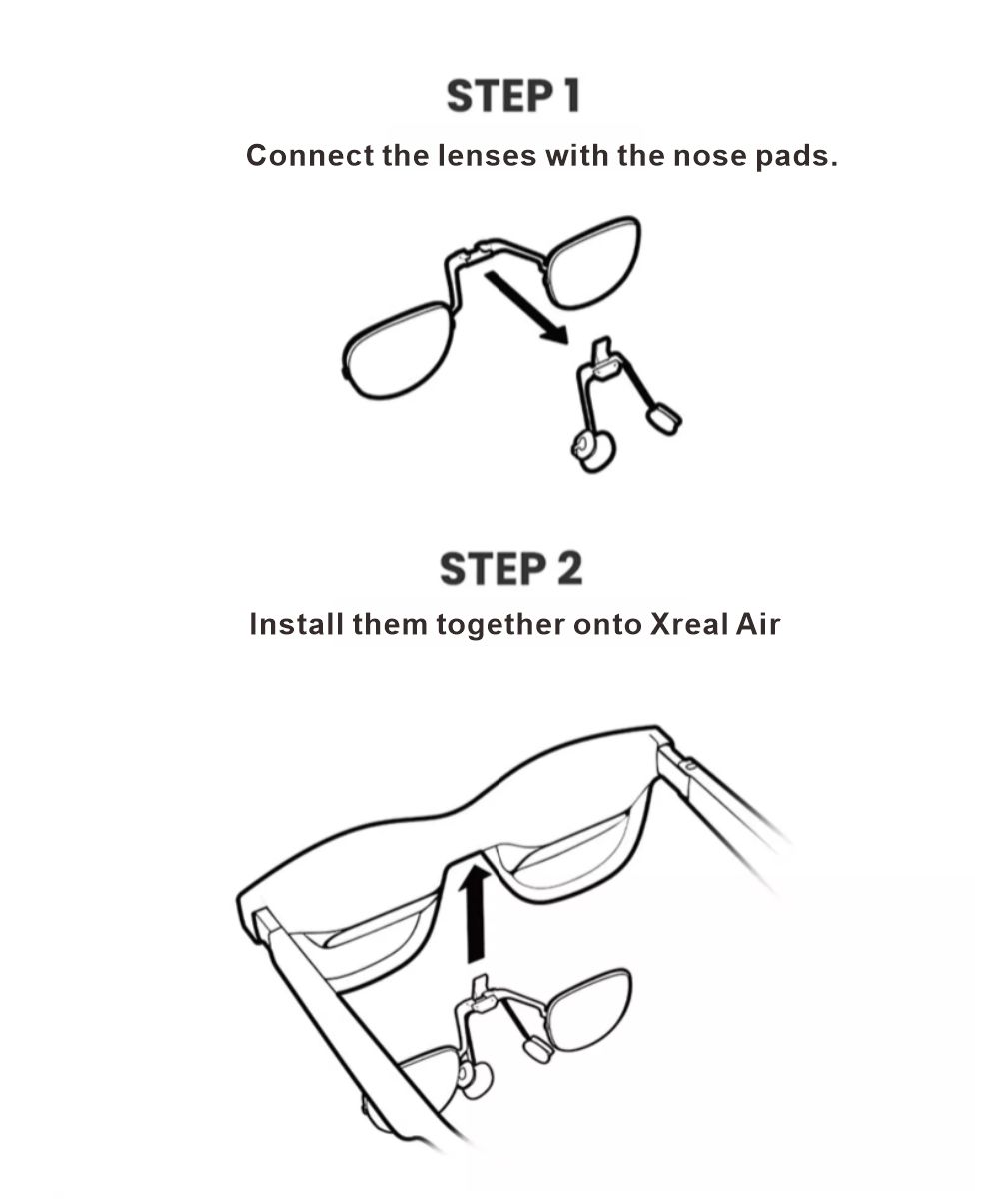
XREALXREAL Air 2
Photo guide
Ray-BanRay-Ban Meta
1 video guide
Ray-Ban Meta — installation

Ray-BanRay-Ban Meta Audio Clubmaster
1 video guide
Ray-Ban Meta Audio Clubmaster — installation

RayNeoRayNeo Air 2s / 3s
Photo guide
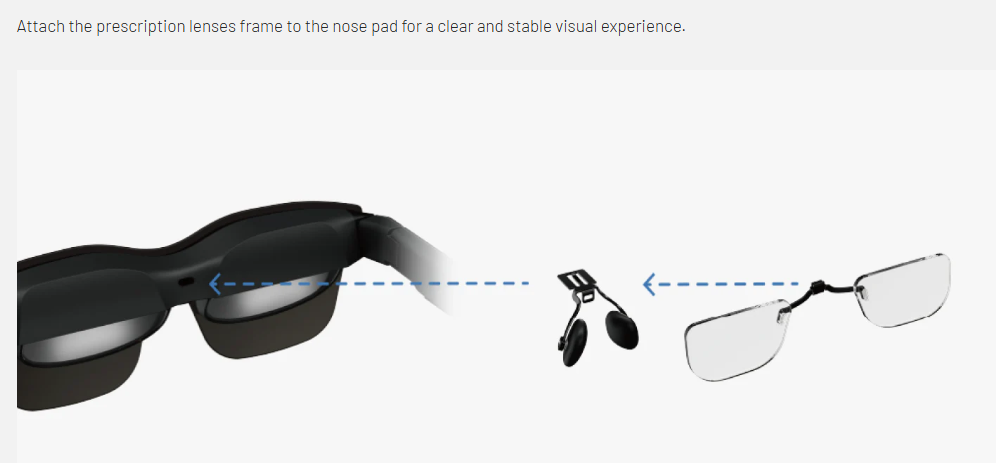
RokidRokid Max
Photo guide
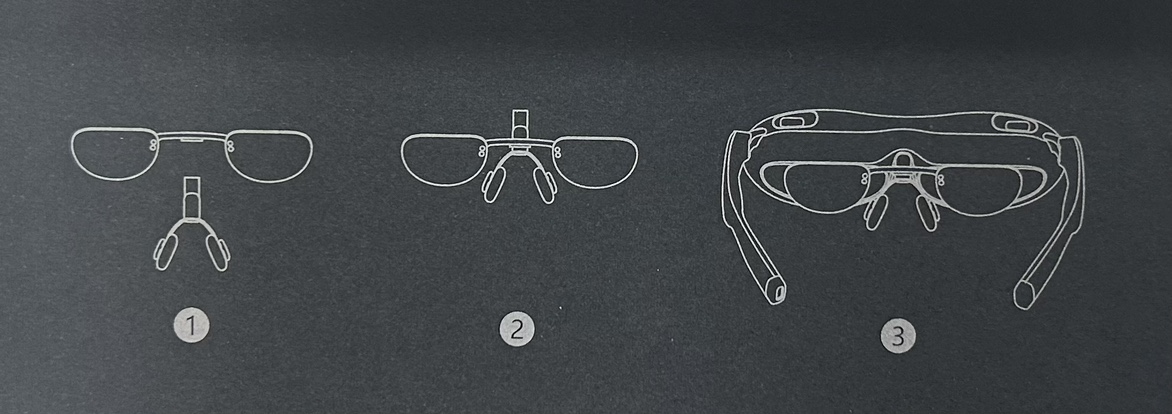
Let’s find the right fit.
No matching guide yet. Try a shorter model name or clear your search.
Keep the clarity
A little care.
A consistently clear view.
A simple cleaning routine for your removable VR prescription lens inserts.
Your lens-care essentials
A clean microfiber cloth
Cleaning solution safe for polycarbonate lenses and lens coatings, or lotion-free dish soap
Before cleaning: These steps are for removable lens inserts, taken out of the device. Keep water and cleaning solution away from your headset or smart glasses. Check your model’s guide for any special care notes.
- 01
Clean hands first
Wash your hands before handling your lenses to avoid transferring dirt or oils.
- 02
Rinse away dust
Run warm water over the removed lenses. Use distilled water if your tap water is hard.
- 03
Wipe gently
After rinsing away any grit, gently wipe your lenses with a clean microfiber cloth.
- 04
Clean both sides
Apply lens-safe spray to both sides, or gently massage a drop of lotion-free dish soap onto each side. Rinse off the soap.
- 05
Dry with care
Shake off remaining water. Use a gas duster suitable for lenses, following its directions. Avoid paper towels. Let the inserts dry before reinstalling.